
Respond to a capital declaration request
You can send this guide to a client. A capital declaration has two steps on the client’s side: first they tell the office what they own, then they review the form the office prepared and sign it. Each step comes with its own link.
Step 1: Answer the questionnaire and upload documents
Link to section: Step 1: Answer the questionnaire and upload documents- Open the link you got from your office by WhatsApp or email. No password is needed.
- Answer the questions. Most are yes-or-no, for example “Do you own real estate in Israel?”.
- For every “yes” you are asked to upload a document, for example a land registry extract or a balance confirmation from the bank. A clear phone photo is enough.
- Don’t have the document? Explain why it is unavailable, instead of uploading something else.
- Check the summary and choose Submit to the office.
Your progress saves by itself, so you can close the link and come back later. If a question is unclear, ask the office before answering. More detail is in the guide to filling in a request.
If the office asked you to replace a document, the link shows what was wrong. Upload a new file in the same place.
Step 2: Review the declaration and sign
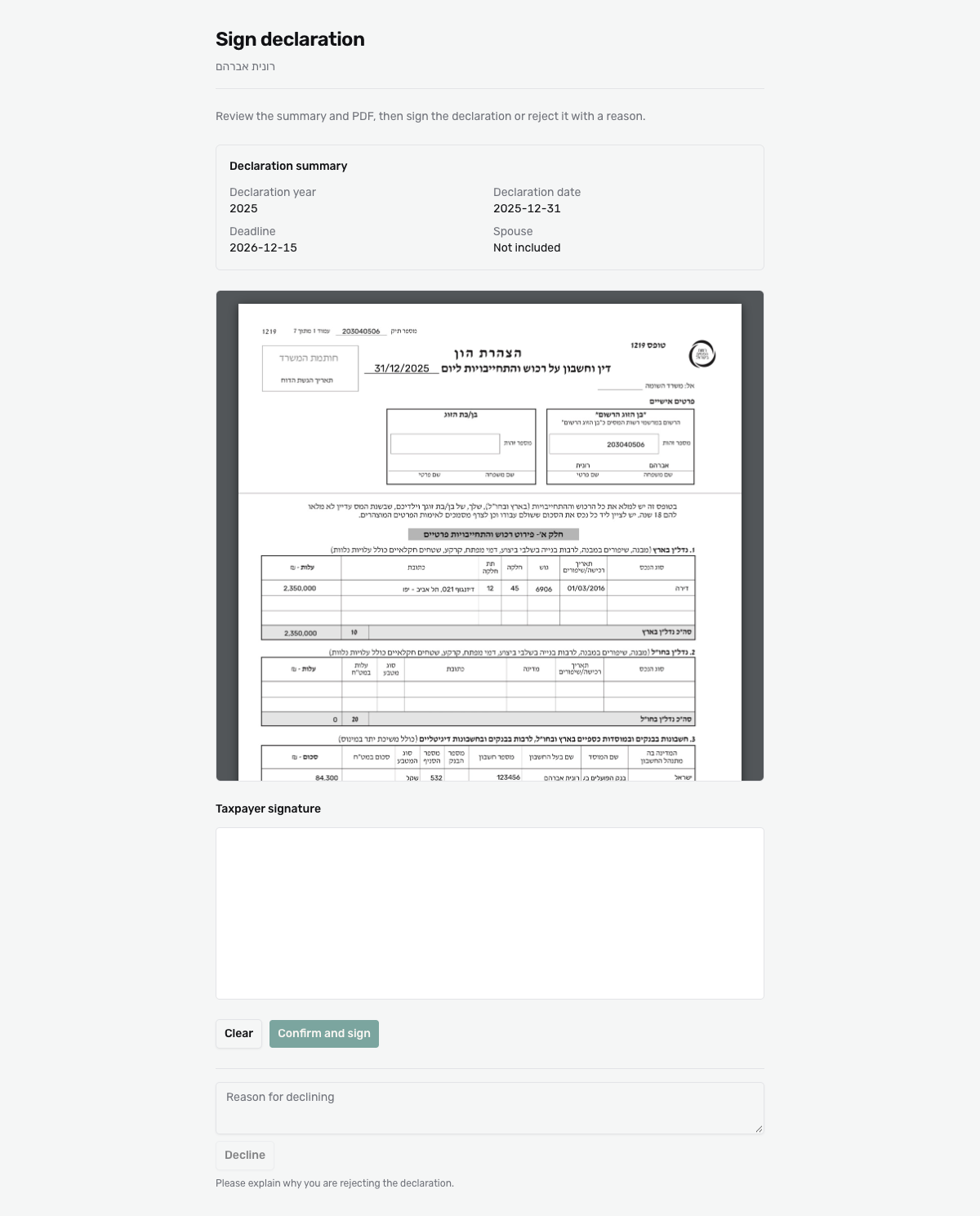
Link to section: Step 2: Review the declaration and signWhen the declaration is ready, the office sends a link for signing.
 View full size ↗
- Read the Declaration summary and the form. Check that your name and ID number are right, and that all your assets and liabilities appear.
- All correct? Sign in the Taxpayer signature box, with your finger on a phone or the mouse on a computer. Not happy with it? Clear and start again.
- If the declaration includes a spouse, there is a second signature box, and they sign too.
- Click Confirm and sign.
Something is wrong? Don’t sign. Write what needs fixing under Reason for declining and click Decline. The declaration goes back to the office with your explanation, and the office sends you a new link after fixing it.
The link does not work
Link to section: The link does not work- A signing link works once: after you sign or decline it closes.
- Every link is valid for 14 days.
- If the office sent several links, use the latest one.
In any of these cases ask the office for a new link, and do not forward your link to others. Your signature is not the submission to the Tax Authority: the office submits after you sign.